



News & Updates
Introducing the NDI Camera App: Unleash Your Phone as a Pro Live-Streaming Tool

Smartphone videography has just taken a major leap forward. With the new NDI Camera app, your mobile device transforms into a high-quality, low-latency video source for platforms like MS Teams, Zoom, Skype—or any NDI-compatible live production setup.
What’s New in This Update
The latest IOS version, v3.0, introduces game-changing enhancements:
-
Smarter capture: Expand your framing options with more lens support, added resolution choices, and top-tier stabilization.
-
Crisp audio: Enjoy superior sound quality with external mic support and new codec options for clearer audio transmission.
-
Revamped interface: A sleek, creator-friendly UI improves usability with better framing tools and energy-saving features.
Previously, the core already offered impressive capabilities—bandwidth modes tailored to your network (high, medium, low), autofocus, pinch-to-zoom, a grid overlay, front/rear camera selection, live connection indicators, and tally status displays—all built for seamless streaming experiences.
Why Creators Should Care
-
Effortless Setup
Connect your phone to your live setup instantly—whether it’s for streaming, video conferences, or multi-angle productions. -
Improved Production Quality
Stabilized video, enhanced audio, and precise camera controls elevate the visual and auditory professionalism of any broadcast. -
Versatility In Use
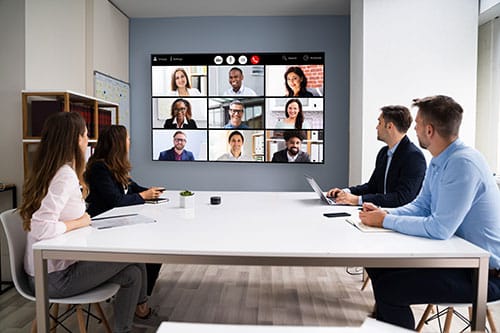
Equip live studios, webinars, hybrid classrooms, or corporate streams with dynamic mobile angles, even in bandwidth-sensitive environments.
NDI Tech: Behind the Magic
NDI (Network Device Interface) is a robust IP-based standard that transmits high-quality, low-latency video, audio, and metadata over networks—perfect for live broadcast and production.
This camera app leverages NDI 6.2, which unlocks:
-
Advanced device discoverability and monitoring—so managing sources across networks becomes effortless.
-
Powerful capabilities for visual settings like HDR, alpha-channel support, and embedded PTZ control data.
Setting Up Your NDI Camera App
-
Install the app on Android or iOS (Android version 1.64, iOS version 3.0).
-
Launch it—your phone becomes instantly discoverable on the NDI network.
-
Adjust settings: Choose video resolution, bandwidth mode, toggle stabilization, manage mic input, select front or back camera.
-
Integrate: Your feed appears in NDI-aware tools (NDI Tools on PC/Mac, OBS with NDI plugin, etc.)—ready for streaming, switching, and more.
Real-World Use Cases
-
Event coverage: Desperately low setup overhead combined with stabilized visuals makes it great for roaming reporters or impromptu side-camera angles.
-
Remote training & education: Add flexible, dynamic camera angles in virtual classrooms or demos.
-
Corporate streaming: Easily supplement traditional cameras during hybrid meetings or widely distributed team presentations.
-
Live multi-angle streams: Use as an adjunct to your main setup—think audience POV shots or alternative perspectives.
Why This Matters for Streamers
Use your smartphone as a flexible, mobile NDI source to add dynamic camera angles, creative flexibility, and professional polish to your live productions. With low-latency video and audio, tailored bandwidth modes, and intuitive controls, it’s ideal for event streaming, webinars, hybrid meetings, and more.
vMix Integration Example: NDI Smartphone + vMix
How to add your phone as a source in vMix:
-
Ensure both devices are on the same LAN.
-
In vMix, click Add Input → select the NDI/Desktop Capture tab.
-
Locate and click your phone’s NDI feed to add it as an input.
Once added, you can:
-
Apply transitions, overlays, chroma key, multi‑view, or recording just like any other camera input.
-
Right-click the input to adjust bandwidth mode, audio-only mode, buffer size, and more on-the-fly.
vMix Output via NDI:
-
You can also send outputs from vMix (Preview, Program, MultiView) back onto the network over NDI—creating powerful looped workflows
Closing Thoughts
With v3.0 of the NDI Camera app, you’re no longer tethered to desk-mounted webcams or expensive hardware—your smartphone becomes an NDI-compatible live streaming powerhouse.
For all creators—from event producers to educators and corporate live streamers—this update delivers unmatched flexibility, quality, and ease of use. Your next broadcast just got more mobile, more empowered, and more professional.